CLAUDE.md — tyrealq.github.io
CLAUDE.md — tyrealq.github.io
Owner & Site Identity
- Q = Dr. Yizhou (Tyreal) Qian 钱亦舟, Assistant Professor at Indiana University Bloomington
- Site title: “Dr. Q”
- Author display: “Yizhou (Tyreal) Qian” with Chinese name 钱亦舟
- Email: tyqian@iu.edu
- Research focus: sport management, esports, NLP/AI, computer vision, datasets, agent skills
- Academic profiles: Google Scholar, ORCID, GitHub, YouTube, LinkedIn
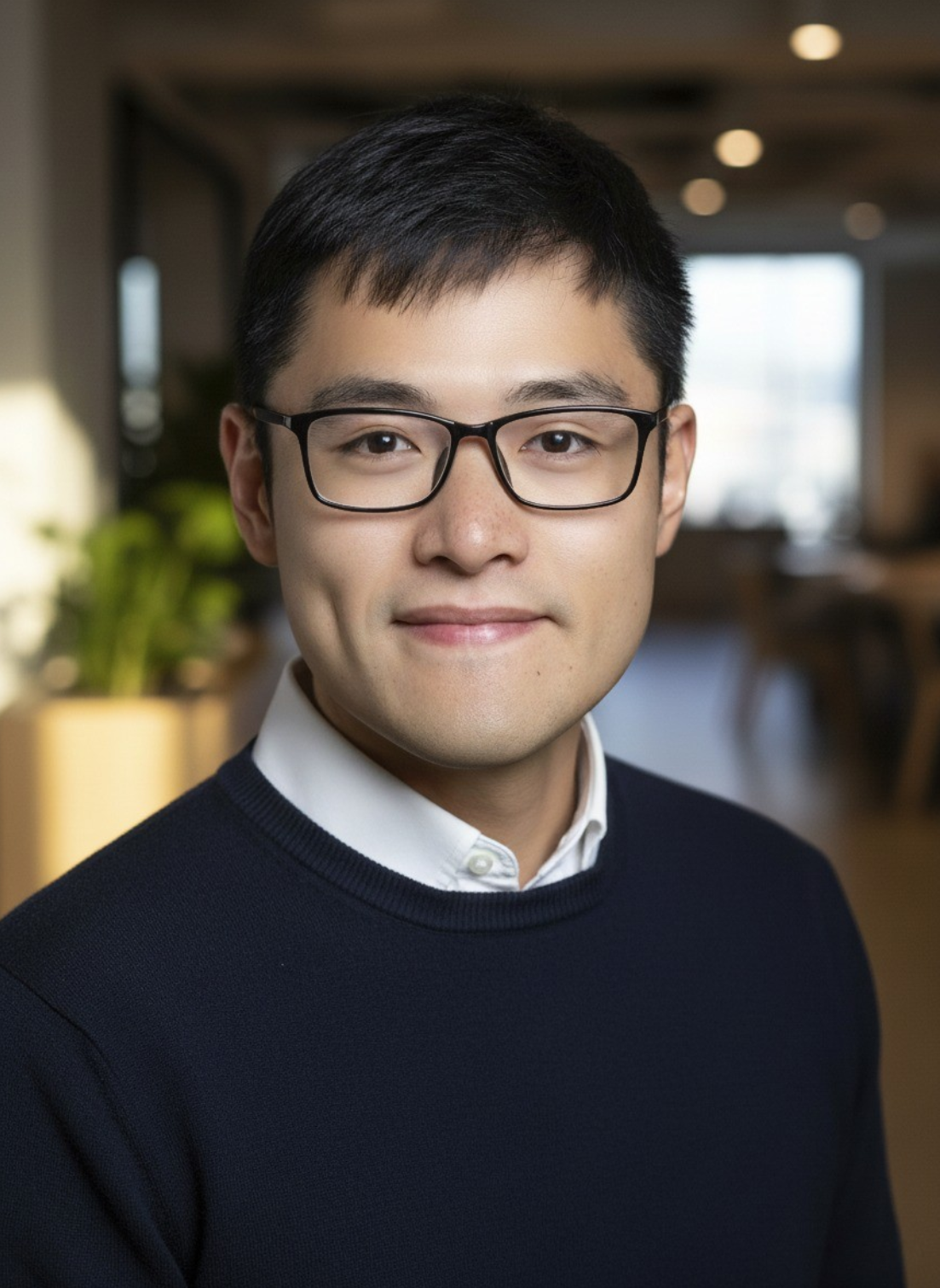
- Avatar:
images/Ty.png
Build & Serve
# Local development (requires Ruby + Bundler)
bundle install
bundle exec jekyll serve -l -H localhost

# Docker alternative
docker build -t academic-pages .
docker run -p 4000:4000 -v $(pwd):/usr/src/app academic-pages

# Rebuild JS assets (requires Node.js)
npm install
npm run build:js        # one-time bundle
npm run watch:js        # watch mode
Site serves at http://localhost:4000. Changes to _config.yml require a server restart.
The system Ruby (2.6) cannot resolve the github-pages gem (it needs Ruby 3); install Homebrew Ruby first (brew install ruby, put /opt/homebrew/opt/ruby/bin first on PATH, then bundle install). A production check is JEKYLL_ENV=production bundle exec jekyll build; the production config sets the absolute site url, so a local build loads the live stylesheet unless url is overridden.
Homebrew now installs Ruby 4, and github-pages still pins Jekyll 3.9 and Liquid 4.0.3, so a local build needs two workarounds kept outside the repo: a separate Gemfile (selected with BUNDLE_GEMFILE) that runs eval_gemfile on the repo Gemfile and adds csv, base64, bigdecimal, logger, and ostruct, which Ruby 4 no longer bundles; and a small Ruby file loaded through RUBYOPT=-r<path> that defines Object#tainted?, taint, and untaint as no-ops, since Liquid 4.0.3 calls methods Ruby removed. Never commit either to the repo; GitHub Pages builds with its own Ruby.
Architecture
| Theme: Academic Pages (fork of Minimal Mistakes) | Markdown: Kramdown with GFM | Plugins: jekyll-feed, jekyll-sitemap, jekyll-paginate, jemoji |
Collections (defined in _config.yml)
| Collection | Directory | Permalink | Description |
|---|---|---|---|
| publications | _publications/ | /publications/:path/ | Journal articles, conference papers |
| talks | _talks/ | /talks/:path/ | Podcasts and teaching demos |
| portfolio | _portfolio/ | /portfolio/:path/ | AI-generated art / fun stuff |
| teaching | _teaching/ | /teaching/:path/ | Course materials (placeholder) |
| posts | _posts/ | /:categories/:title/ | Blog posts (placeholder) |
Key Directories
.claude/— Claude Code project config:settings.json(SessionStart hook),hooks/session-note.sh(session dashboard)_pages/— Static pages (about, cv, archive pages); explicitly included via_config.yml_includes/— Reusable HTML partials (author profile, header, footer)_layouts/— Page templates (single,talk, etc.)_sass/— SCSS stylesheets (compressed output);_dark.scssholds the dark-theme override layer_data/navigation.yml— Header navigation links and order_drafts/— Unpublished contentimages/— Site imagesfiles/— Downloadable files (PDFs), self-hosted standalone HTML pages (SMQ_timeline.htmlandSMQ_cited_works.html, each iframed from its own talk entry), andfiles/greeting/(the rendered homepage greeting video:greeting.mp4,greeting.webm,poster.jpg, plusportrait.jpgfor the HTML end card) andfiles/journey/(the rendered career-path video with its music, embedded with sound by_portfolio/01_Journey.md:journey.mp4,journey.webm,poster.jpg; source in~/Dropbox/1CV/Brands_Qian/animation/journey/, never edited here)assets/js/— JavaScript;main.min.jsis the bundled output
Dark Mode
The site supports a light/dark theme toggle (sun/moon button in the masthead, right side):
_includes/head.html— inline script applies the saved theme before paint; light is the default, anddata-theme="dark"is set on<html>only when the visitor previously chose dark_includes/masthead.html—#theme-togglebutton_includes/scripts.html— inline handler flipsdata-theme, persists the choice tolocalStorage(theme), and swaps the icon_sass/_dark.scss—[data-theme="dark"]override layer, imported last inassets/css/main.scss; it also recolors the sidebar GitHub icon to the dark text color, since GitHub’s near-black brand color (#171516) disappears on the dark background
Greeting Animation
The homepage plays a short code-rendered greeting video (about 30 s, muted, 16:9) directly under the welcome paragraph, then shows an HTML end card with the real links. It follows the same pattern as the theme toggle: markup in an include, a guarded vanilla IIFE in _includes/scripts.html, an SCSS partial, no build step. Both renders carry BT.709 limited-range color tags (--color-space bt709) so the stage matches the HTML end card in every browser.
- Source:
~/Dropbox/1CV/Brands_Qian/animation/greeting/(a Remotion project documented in itsREADME.md). The site repo holds only the rendered outputs and the embed. Never edit the video here. - Outputs:
files/greeting/greeting.mp4,files/greeting/greeting.webm,files/greeting/poster.jpg(poster is the 7.5 s frame, since nothing has entered at frame 0);files/greeting/portrait.jpgis the square studio portrait used by the HTML end card _includes/greeting.html:.greetingwrapper: a 16:9 box (aspect-ratio: 16 / 9, so the page never shifts) holding the<video>(MP4 then WebM sources; H.264 first because every browser decodes it in hardware,muted playsinline preload="metadata", noautoplayattribute) and the replay button, plus the end card.greeting__end(white card, portrait with crimson ring,Dr. Qand钱亦舟, crimson rule, affiliation caption,Explore., two rows of pill links: CV, Research Highlights, Featured Talks, Fun Stuff; GitHub, Hugging Face, OSF, YouTube).about.mdplaces it with `<div class="greeting">
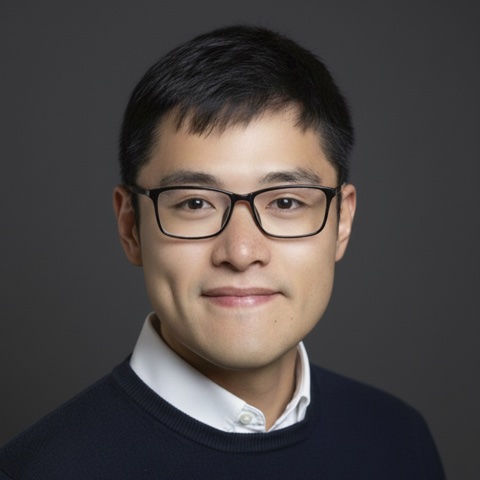 Dr. Q 钱亦舟School of Public Health · Indiana University Bloomington Explore.
</div> `.
_includes/scripts.html: the IIFE exits when.greetingis absent. On every page load it callsvideo.play()(muted autoplay; the user wants it to play on each visit, so there is no once-per-session flag). Ifprefers-reduced-motion: reducematches, orplay()rejects, it shows the end card and does not play. Onendedit reveals the end card with a short fade (classgreeting--ended). The replay button hides the card, seeks to 0, and plays again. The code carries no explanatory comments; any comment added to this script must be/* */, because productioncompress_htmlbreaks//comments._sass/_greeting.scss: imported inassets/css/main.scssimmediately before_dark.scss. At 600 px and wider the end card is an overlay inside the box, sized in container query units (cqw) from the 1920 px frame with the frame’s own margins (5 % top and bottom, 10 % left and right) and the corner Dr. Q mark; below 600 px it renders as a block directly under the video with fixed sizes and wrapping pills, and only the replay control stays in the box corner._dark.scssrecolors only the frame border; the video and end card keep their light colors by design.- Update: re-render in the source project (
npx remotion renderthere), then copy the three files intofiles/greeting/. Edit copy, timing, or links in the source project’sstory.ts; the end-card link labels and URLs ingreeting.htmlmust match its last take.
Content Generation Pipeline
markdown_generator/ contains Python scripts and Jupyter notebooks that convert TSV data into Markdown collection files:
publications.tsv→publications.py/publications.ipynb→_publications/*.mdtalks.tsv→talks.py/talks.ipynb→_talks/*.mdPubsFromBib.ipynb/OrcidToBib.ipynb— Import from BibTeX/ORCID
Session Dashboard
.claude/hooks/session-note.sh runs at session start (registered in .claude/settings.json) and prints a summary of the site’s work streams: the last three commits and how long ago they were, uncommitted or unpushed changes (deploy status), content counts with the most recent date per collection, any future-dated items that Jekyll will not render yet, drafts, and project skills. Every figure is computed from the folder and git history at run time, so the dashboard never needs editing. Publication dates in “Month YYYY” format are normalized to ISO for sorting and comparison.
Site Navigation
Header links (defined in _data/navigation.yml):
| Label | URL | Maps to |
|---|---|---|
| Curriculum Vitae | /cv/ | _pages/cv.md |
| Research Highlights | /publications/ | _pages/publications.html |
| Featured Talks | /talks/ | _pages/talks.html |
| Fun Stuff | /portfolio/ | _pages/portfolio.html |
Homepage: _pages/about.md (permalink: /)
The homepage, CV, Resources & Publications, and Outreach & Presentations pages all use the default single layout (no layout: line), so they share one design and each ## section heading gets the layout’s underline. Sections are separated by that underline alone; do not add --- dividers between them. _sass/_archive.scss removes the right-side padding of .list__item inside .page__content, so the publication and talk listings use the full column. Published Research lists journal articles and then conference papers (the order of publication_category in _config.yml) with no category headings. The talks page has two ## sections written into the page, Public Outreach and then Academic Presentations, each listing the talks with that category newest first.
Content Inventory
Publications (_publications/) — 10 files, ALL ACTIVE
| File | Title (short) | Venue | Category | Date |
|---|---|---|---|---|
B50.md | Trump’s Break 50 YouTube appearance | NASSM 2025, San Diego | conferences | 2025-05 |
CS_Olympics.md | 2022 Beijing Winter Olympics tweets on X | Communication & Sport | manuscripts | 2024-07 |
ESMQ_esports.md | Esports spectator motivation scale (MSES) | European Sport Management Quarterly | manuscripts | 2020-06 |
HICSS58.md | Esports at 2023 Asian Games (BERTopic + GPT-4) | HICSS-58, Big Island, HI | conferences | 2025-01 |
JBR_gamification.md | Gamification in esports livestreaming | Journal of Business Research | manuscripts | 2022-06 |
JRCS_Trump.md | Human-AI analysis of Trump Break 50 | Journal of Retailing and Consumer Services | manuscripts | 2026-01 |
JSM_TS.md | Taylor Swift & NFL Instagram analysis | Journal of Sport Management | manuscripts | 2026-01 |
SMR_costream.md | Twitch TNF co-streaming | Sport Management Review | manuscripts | 2021-07 |
SMR_experience.md | LLM for stadium review sentiment (GPT-3.5 + RoBERTa) | Sport Management Review | manuscripts | 2024-08 |
Smithsonian.md | Automated ball-strike system fan reactions | Sports Technology Symposium, Washington DC | conferences | 2024-10 |
Publication categories in _config.yml: Books, Journal Articles (manuscripts), Conference Papers (conferences).
Talks (_talks/) — 18 files, ALL ACTIVE
Each talk’s category front matter places it in one of the two sections of the talks page: outreach (Public Outreach) or presentations (Academic Presentations).
Public Outreach (13): podcast episodes (YouTube video discussions of Q’s research), QLearning tutorials, and self-hosted interactive figures.
Podcast episodes (7):
| File | Title (short) | Related publication | Date |
|---|---|---|---|
Podcast_ABS_MLB.md | Robo-Umps: baseball authenticity on Reddit | Smithsonian.md | 2024-11-01 |
Podcast_B50.md | The Break 50 Phenomenon | B50.md / JRCS_Trump.md | 2025-09-30 |
Podcast_EXP.md | College football game day experience | SMR_experience.md | 2024-09-27 |
Podcast_HICSS58.md | Esports at 2023 Asian Games on X | HICSS58.md | 2024-10-30 |
Podcast_Olympics.md | 2022 Beijing Winter Olympics on X | CS_Olympics.md | 2024-10-28 |
Podcast_TS_NFL.md | NFL’s Swift-Kelce Instagram strategy | JSM_TS.md | 2024-11-14 |
Podcast_Twitch.md | TNF co-streaming on Twitch | SMR_costream.md | 2021-06-16 |
QLearning tutorials and interactive figures (6):
| File | Title (short) | Format | Date |
|---|---|---|---|
Teaching_Agents.md | QLearning: From Chatbots to Agents | YouTube tutorial | 2026-03-04 |
Teaching_LLM101.md | QLearning: LLM 101 (GPT-4o in Colab) | YouTube tutorial | 2025-04-04 |
Teaching_NLP.md | QLearning: NLP 101 (sentiment analysis) | YouTube tutorial | 2025-03-03 |
Teaching_TS_NFL.md | QLearning: Swift-Kelce Instagram case study | YouTube tutorial + slides | 2024-12-02 |
Interactive_SMQ_Timeline.md | Interactive Visualization: Intellectual lineage of SMQ, 1999 to 2026 (citation timeline; manuscript in preparation) | Self-hosted interactive HTML (files/SMQ_timeline.html) | 2026-09-14 |
Interactive_SMQ_Cited_Works.md | Interactive Visualization: What SMQ cites beyond itself, 1999 to 2026 (cited works; companion to the timeline) | Self-hosted interactive HTML (files/SMQ_cited_works.html) | 2026-09-17 |
Academic Presentations (5): conference presentations, workshops, and symposium talks.
| File | Title (short) | Format | Date |
|---|---|---|---|
MMAB_AMA.md | AMA Presentation: Athlete branding via adaptive multimodal strategies (MMAB) | Canva slides | 2026-07-25 |
Teaching_NASSM_TGL.md | NASSM Presentation: TMRW Golf League pre-launch video analytics | Canva slides | 2026-05-29 |
Teaching_SMA_HAI.md | SMA Symposium: Human-AI Collaboration | Canva slides + GitHub repo | 2025-10-23 |
Teaching_NASSM_NLP.md | NASSM Workshop: NLP4ALL (Zeigler Lectures) | Canva slides + GitHub repo | 2025-05-29 |
Teaching_NASSM_AI.md | NASSM Conversations: Applied AI in Sport Mgmt | Canva slides | 2025-03-03 |
Portfolio (_portfolio/) — 8 files, ALL ACTIVE
AI-generated art and creative projects. The gallery (_pages/portfolio.html) lists entries in filename order, so each file starts with a two-digit number that sets its place; the web address comes from each file’s permalink, so renumbering does not change it.
| File | Title | Tool | Image(s) |
|---|---|---|---|
01_Journey.md | From Sanming to Bloomington: A Career Journey (68 s bilingual animation of the same six cities, with one instrumental song per city) | Claude Opus 5.5 + Remotion (code-rendered video) | Journey.jpg teaser; video in files/journey/ |
02_City.md | 3D City Landmark Weather Visualization | Nano Banana Pro | SM_FJ.jpeg, XM_FJ.jpeg, SH.jpeg, Athens_GA.jpeg, BR_LA.jpeg, Bloomington_IN.jpeg |
03_Logo_Q.md | Brand Logos for Dr. Q | Ideogram + Canva | Logo_Q.png, Logo_Q_SB.png, and variants (_B, _Horizontal, _OB, _W) |
04_Sticker_Q.md | Social Sticker (chibi LINE-style) | Nano Banana Pro | Ty_Q_EN.jpeg, Ty_Q_CN.jpeg |
05_Tracy_cute.md | Whispers of Dawn in Tracy’s Smile | ComfyUI-InstantID | Tracy_cute1.png |
06_Ty_football.md | Tyreal’s Gridiron Dream | ComfyUI-InstantID | Q.png |
07_XL.md | Xiaoli’s Radiant Moment: Portrait of a Mother | ComfyUI-InstantID | XL.png |
08_XSP.md | Siping’s Poem: Portrait of a Father | ComfyUI-InstantID | SP8.png |
Teaching (_teaching/) — 2 files, PLACEHOLDER (theme template)
| File | Notes |
|---|---|
2014-spring-teaching-1.md | Template from Academic Pages theme |
2015-spring-teaching-2.md | Template from Academic Pages theme |
Blog Posts (_posts/) — 5 files, PLACEHOLDER (theme template)
| File | Notes |
|---|---|
2012-08-14-blog-post-1.md | Template |
2013-08-14-blog-post-2.md | Template |
2014-08-14-blog-post-3.md | Template |
2015-08-14-blog-post-4.md | Template |
2199-01-01-future-post.md | Template (future-dated) |
Pages (_pages/) — 18 files
Active pages:
| File | Permalink | Purpose | |—|—|—| | about.md | / | Homepage — bio, greeting animation (`<div class="greeting">
Dr. Q 钱亦舟</div> ` under the welcome paragraph), “Join Our Team” PhD recruiting section (lab members, a paragraph on assistantship funding, teaching, resources, and publication expectations, and five questions for prospective students), visitor map under its own “Visitors Around the World” header (MapMyVisitors script at the end of the page) | | cv.md | /cv/ | Academic CV — appointments, education, work in progress, skills | | publications.html | /publications/ | “Resources & Publications” page (menu label: Research Highlights): an “Open Resources” section (five research areas, each technique or task linked inline to a research resource: a GitHub repo, a Hugging Face dataset, a paper, or a q-skills subskill; teaching materials are linked only where the text is about teaching; written in markdown inside a Liquid capture passed through markdownify), then “Published Research” (Google Scholar link and the listing) | | talks.html | /talks/ | “Outreach & Presentations” page (menu label: Featured Talks): “Public Outreach” and “Academic Presentations” sections | | portfolio.html | /portfolio/ | Portfolio gallery | | teaching.html | /teaching/ | Teaching listing | | 404.md | /404.html | Custom 404 page | | sitemap.md | /sitemap/ | HTML sitemap | | terms.md | /terms/ | Terms and privacy |
Archive generators:
| File | Purpose |
|---|---|
category-archive.html | Posts by category |
collection-archive.html | All collections |
page-archive.html | All pages |
tag-archive.html | Posts by tag |
year-archive.html | Posts by year |
talkmap.html | Talk locations map (disabled via talkmap_link: false) |
Template / unused:
| File | Notes |
|---|---|
archive-layout-with-content.md | Theme example page |
markdown.md | Markdown formatting guide |
non-menu-page.md | Theme example of a non-nav page |
Images Directory
All images live in images/. Grouped by purpose:
Research infographics (used in publications):
B50.png,B50_INFO.jpeg— Break 50 / Trump golfWG_INFO.jpeg— Winter Olympics / GamesESPORTS_INFO.jpg— Esports spectator motivationESPORTS_GAMIFICATION_INFO.jpg— Gamification in esportsEXP_INFO.jpeg— Stadium experience / LLMTS_INFO.png— Taylor Swift & NFLTWITCH_SPORTS_INFO.jpg— Twitch co-streaming
Teaching demo thumbnails:
LLM101.png— LLM 101 tutorialNLP4ALL.png— NLP4ALL workshopQLearning101.png— QLearning series
Portfolio / portraits:
Q.png— Tyreal football portraitTracy_cute1.png— Tracy portraitXL.png— Xiaoli portraitSP8.png— Siping portraitTy_Q_EN.jpeg,Ty_Q_CN.jpeg— Stickers (English/Chinese)
Brand logos:
Logo_Q.png,Logo_Q_B.png,Logo_Q_Horizontal.png,Logo_Q_OB.png,Logo_Q_SB.png,Logo_Q_W.png
City weather visualizations:
SM_FJ.jpeg(Sanming),XM_FJ.jpeg(Xiamen),SH.jpeg(Shanghai),Athens_GA.jpeg,BR_LA.jpeg(Baton Rouge),Bloomington_IN.jpeg
Site assets (theme defaults):
Ty.png— Author avatar (sidebar)bio-photo.jpg,bio-photo-2.jpg,profile.jpg— Stock/theme biossite-logo.png,homepage.png— Site brandingfavicon.ico,safari-pinned-tab.svg,browserconfig.xml,manifest.json,mstile-*.png— Favicon/PWA500x300.png— Default teaser- Other theme stock images:
foo-bar-identity*.jpg,editing-talk.png,paragraph-*.png,image-alignment-*.jpg,3953273590_704e3899d5_m.jpg
Configuration Files
| File | Purpose |
|---|---|
_config.yml | Site metadata, author info, collections, plugins, publication categories, defaults |
_data/navigation.yml | Header nav links: CV, Research Highlights, Featured Talks, Fun Stuff |
Gemfile | Ruby deps (jekyll, github-pages, webrick) |
package.json | Node deps for JS bundling (jquery, fitvids, magnific-popup) |
Dockerfile | Docker build for local dev |
Content Workflow
Add a new publication:
- Create
_publications/<slug>.mdwith YAML front matter:title,collection: publications,category(manuscripts/conferences/books),permalink,excerpt,date,venue, optionallypaperurl - Add an infographic image to
images/if needed, reference with<img src='/images/...'> - Or: add a row to
markdown_generator/publications.tsvand runpublications.py
Add a new talk (podcast, teaching demo, or interactive demo):
- Create
_talks/<Podcast_or_Teaching>_<slug>.mdwith front matter:title,collection: talks,category(outreachorpresentations; a talk without it does not appear on the talks page),excerpt,type: "Talk",permalink,date - Embed YouTube iframe or Canva slides in the body
- For a self-hosted interactive page: put the self-contained HTML in
files/with no front matter (Jekyll copies it verbatim; front matter would trigger Liquid and layouts), then embed it with a fixed-height iframe (height: 85vh; min-height: 640px) plus an “open in a new tab” link. fitvids only wraps YouTube/Vimeo, so the iframe carries its own sizing. The SMQ pages are copied from the SMA25 project (~/Dropbox/2026 Fall/SMA25,manuscript/figures/<name>/) with the outreach rewording recorded in that project’soutreach/README.md; edit them there and re-copy, never here
Add a portfolio item:
- Create
_portfolio/<slug>.mdwith front matter:title,excerpt(include thumbnail img tag),collection: portfolio,permalink - Add images to
images/, reference in body
Update the homepage greeting video:
- Edit and re-render in
~/Dropbox/1CV/Brands_Qian/animation/greeting/(see Greeting Animation above); never edit the video in this repo - Copy
outputs/greeting.mp4,outputs/greeting.webm, andoutputs/poster.jpgfrom that project intofiles/greeting/ - If the end card’s links or labels changed, update
_includes/greeting.htmlto match
Deployment
Push to master branch. GitHub Pages builds and deploys automatically.